How to Draw a Tree Step by Step (Core Techniques Tutorial)
See how to draw a tree with no leaves in this four-step tutorial. Done in pencil, the examples guide you from a basic construction sketch to a detailed, fully shaded drawing.
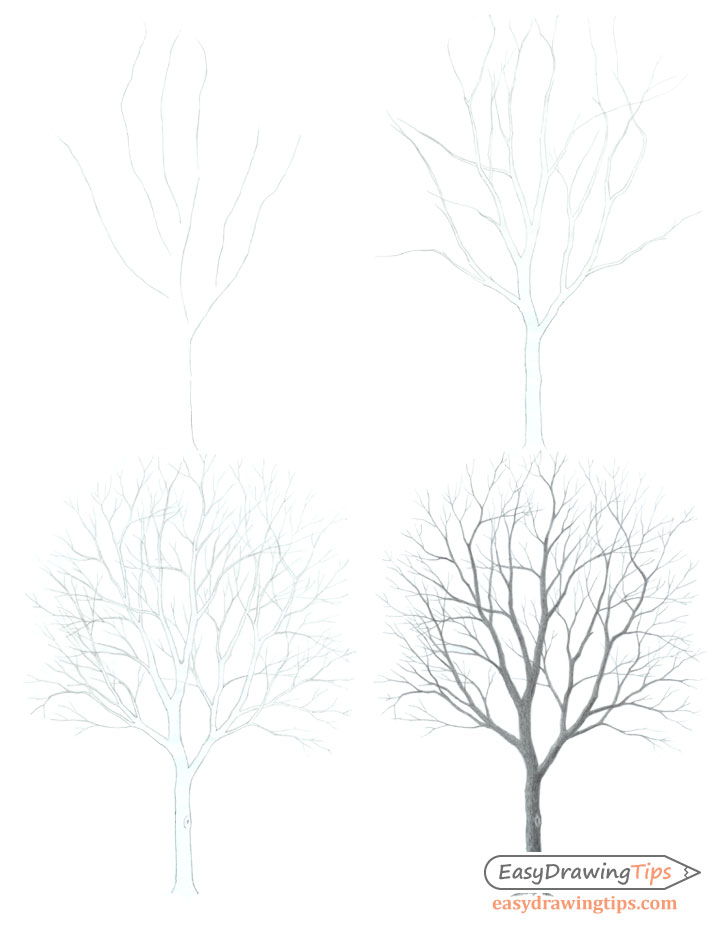
The tree in the example is drawn in a fully realistic style. At the same time, to make the tutorial beginner-friendly, the art is also kept fairly simple. While the guide is quite short, it’s packed with useful information and demonstrates some of the core principles of art. When properly applied, these can help you build a strong foundation for drawing as a whole.
Just as in the examples, it is recommended that you do the drawing in pencil.
Supplies Needed for This Tree Drawing
- Regular graphite pencil (HB): For the linework and shading.
- Drawing paper: Almost any art paper (or even printer paper) will do.
- Eraser: A kneaded eraser is preferred to allow for easier corrections without touching other nearby parts of the drawing (or use the corner of a regular eraser).
Step 1 – Establish the Tree’s Basic Structure
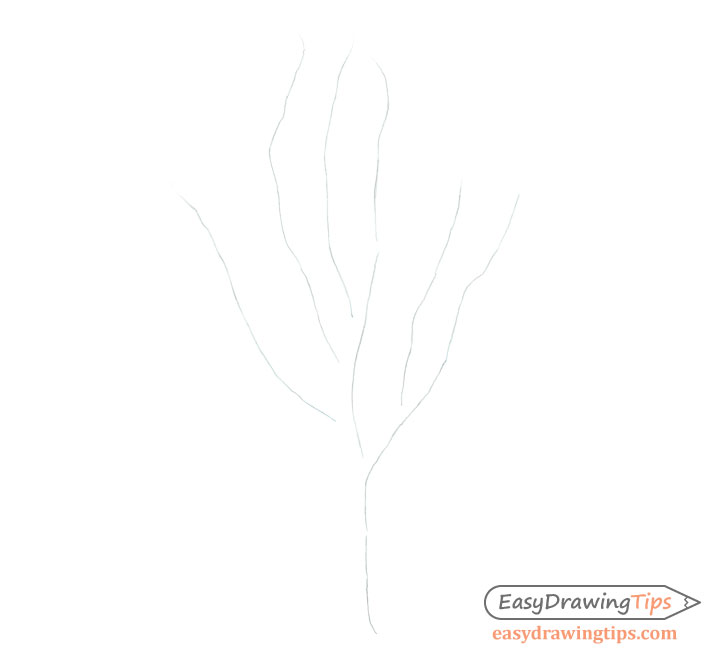
To start the tree drawing, first establish the overall flow of the trunk and the larger branches using some simple construction lines (as shown in the example above).
You don’t need to draw a construction line for every major branch. Just add enough to hint at the tree’s general shape.
Step 2 – Define the Shapes of the Trunk and Large Branches
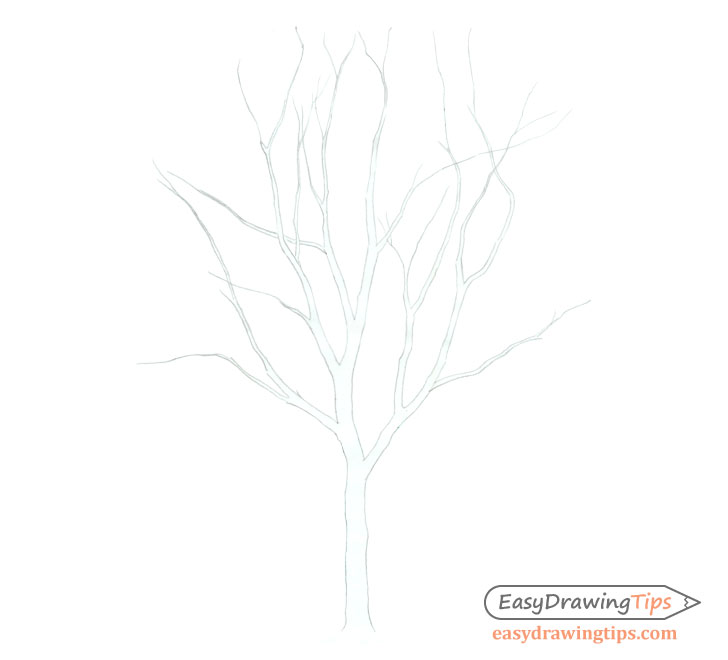
Using the construction lines from the previous step as guides, draw the actual outline shapes of the trunk and main branches.
Generally, the tree trunks and their branches get progressively thinner as they extend upwards and outwards. Be sure to keep this in mind as you draw. Also, add some bumps and fairly sharp twists to the outlines to make things look natural.
Step 3 – Draw the Smaller Branches
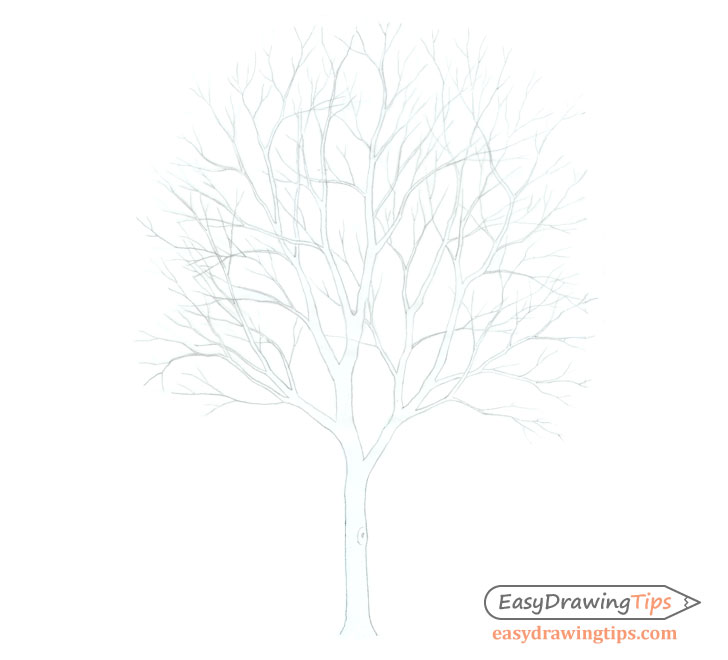
Add the smaller branches to finish the line drawing. You will need to add quite a few of these for the tree to look natural and realistic. If you are making a fairly small drawing like the one in this example, you can define the smallest branches using just a single line for each of them. Doing so can make the drawing process a little faster and easier.
Also note that while they do curve in slightly different directions, overall a tree’s branches tend to “fan out” around it. Effectively applying this to your artwork will again, help it look natural and realistic.
Step 4 – Apply Shading to the Tree Drawing
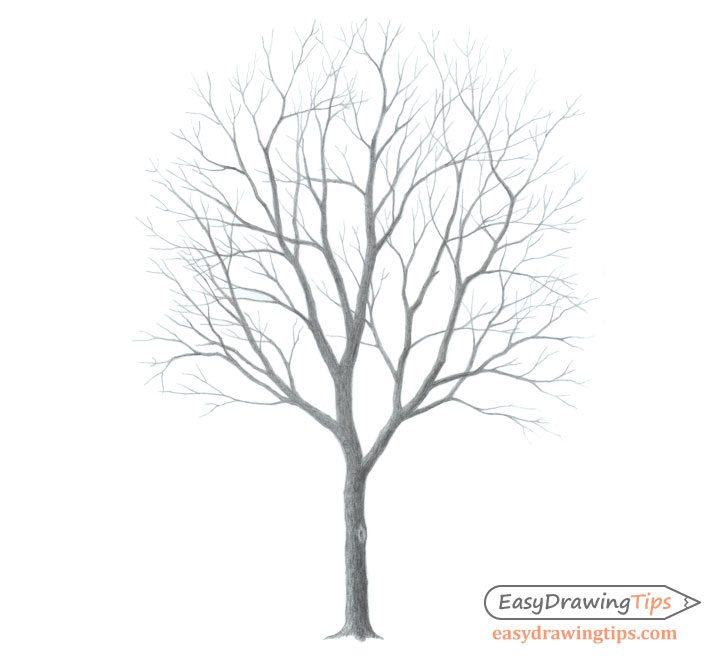
For the final step, shade the tree.
In this case, the drawing is done as though the light is coming from the upper left. To convey this in your artwork, make the right side of the trunk and the right sides of the branches on the right darker. Due to the angle of the light, only the branches stretching to the right will get these shadows.
You don’t need to show this transition on the smaller branches, as it would be very tedious and difficult to see, thus having little overall effect on the drawing. However, you can make the smaller branches on the right slightly darker as a whole (this may be a little hard to see in the example).
For the actual process of applying the shading, you will want to do so in several layers. First, fill the entire outline with a base gray. Next, apply the dark gradient over top. As this is a fairly small drawing with a lot of detail, it’s a good idea to blend your strokes so that they are not visible.
For an explanation of various shading techniques and stroke types, see:
Shading Techniques and Stroke Types Drawing Tutorial
Conclusion
This simple tutorial teaches how to draw a tree starting with a basic construction drawing. It then illustrates how to transition into a line drawing and fully define the major branches, followed by the addition of the smaller branches. The drawing is then finalized by applying some fairly straightforward shading.
For drawing leaves, see the following tutorials:
- How to Draw a Tree Branch With Leaves
- How to Draw a Sunflower Step by Step
- How to Draw a Maple Leaf in 3 Steps